Trigger Automation in Mark360.ai
What is a Trigger?
In Mark360.ai, a Trigger is an automation rule that listens for specific customer actions — like a message, order, or form submission — and then automatically takes action such as replying with a bot, sending a message, file, or media.
Use Triggers to automate conversations, streamline operations, and improve customer experience without manual intervention.
How to Create a Trigger?
Follow these steps to create a powerful automation trigger in Mark360.ai:
Step 1: Add Basic Trigger Details
-
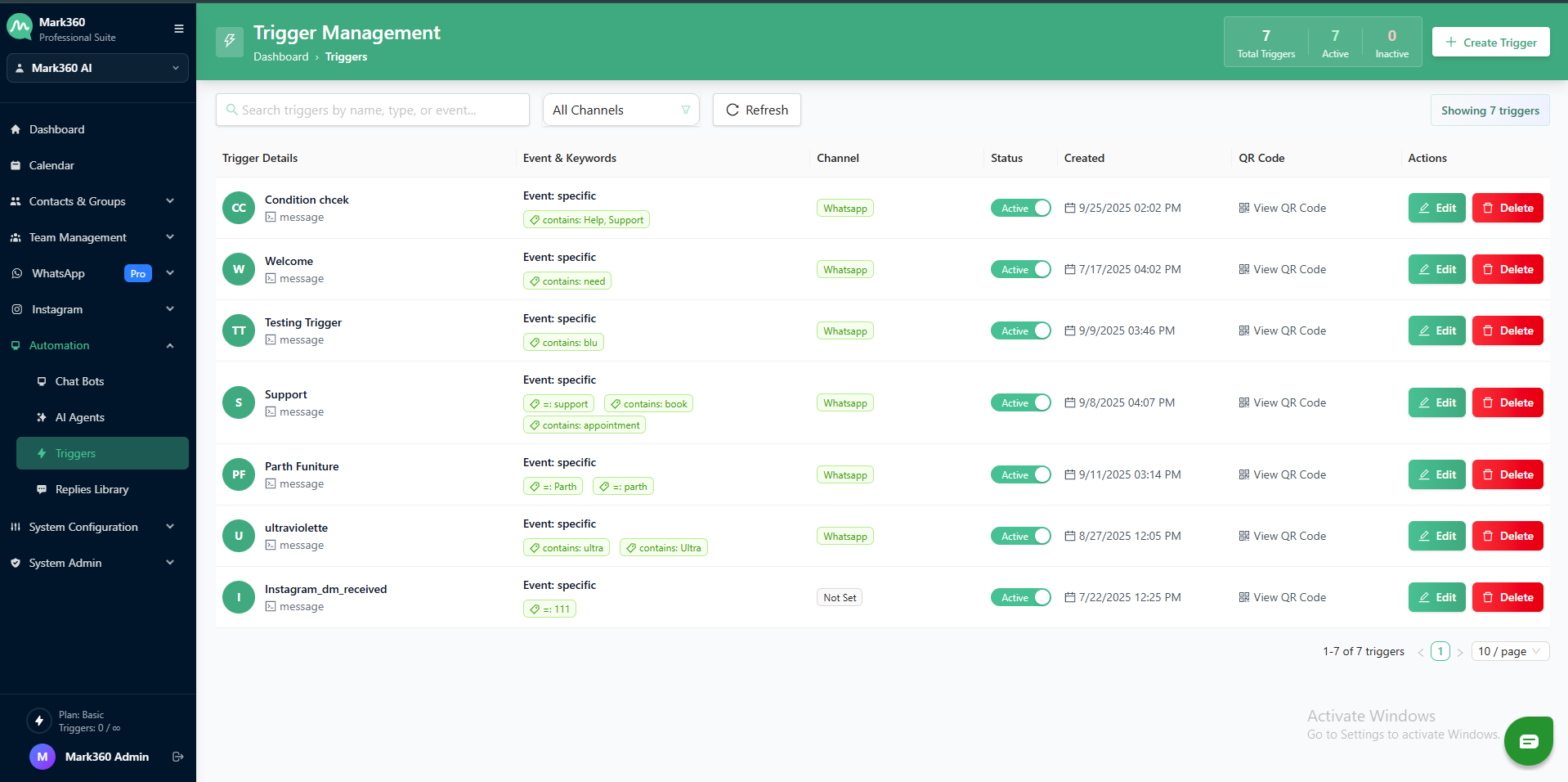
Go to Automation > Triggers
-
Click on "Create Trigger"
-
Enter a Trigger Name (e.g.,
Welcome Message,Order Confirmation,Instagram Flow Trigger)
Step 2: Select Channel & Trigger Type
-
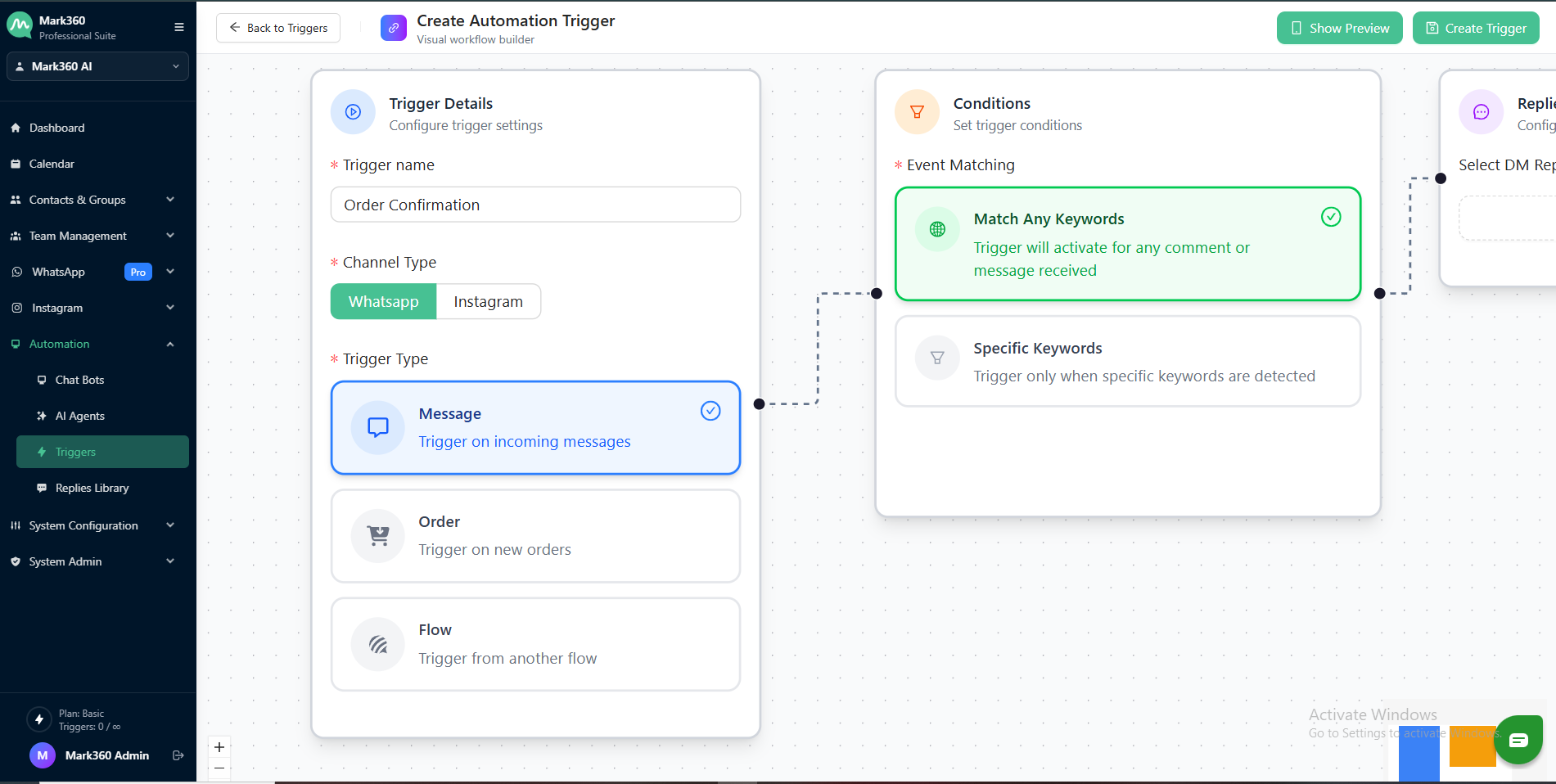
Choose Channel:
-
Choose Trigger Type:
- Message
- Order
- WhatsApp Flow/Form submission
Step 3: Keyword Matching Logic
Decide when the trigger should activate — based on customer input.
You can choose:
A. Any Keyword
Trigger activates when any message is received.
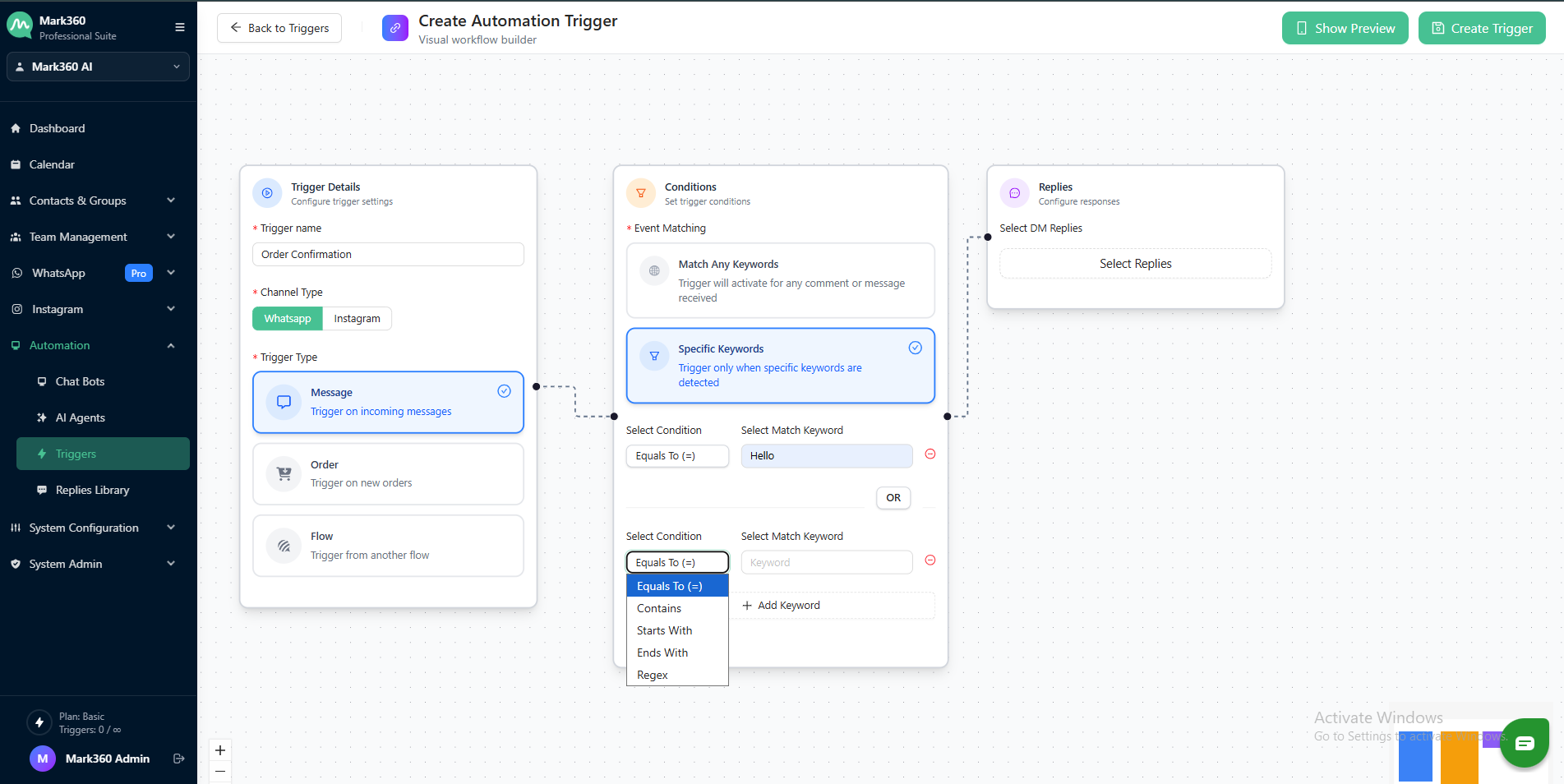
B. Specific Keyword
Trigger activates when exact or pattern-based keywords match.
Choose a matching condition:
Equals ToContainsStarts WithEnds WithMatches Regex
Match Keyword Field:
- Select which field to match (e.g., Message Text, Product Name, etc.)
Step 4: Define Trigger Action
Decide what should happen when the trigger condition is met.
You can activate:
| Action Type | Description |
|---|---|
| Bot Flow | Automatically trigger a chatbot or WhatsApp flow |
| Text Message | Send an automated text reply |
| File | Send a PDF, document, or other file |
| Image | Send an image (e.g., banner, product image) |
| Audio | Send a voice message or audio file |
| Video | Send an intro or explainer video |
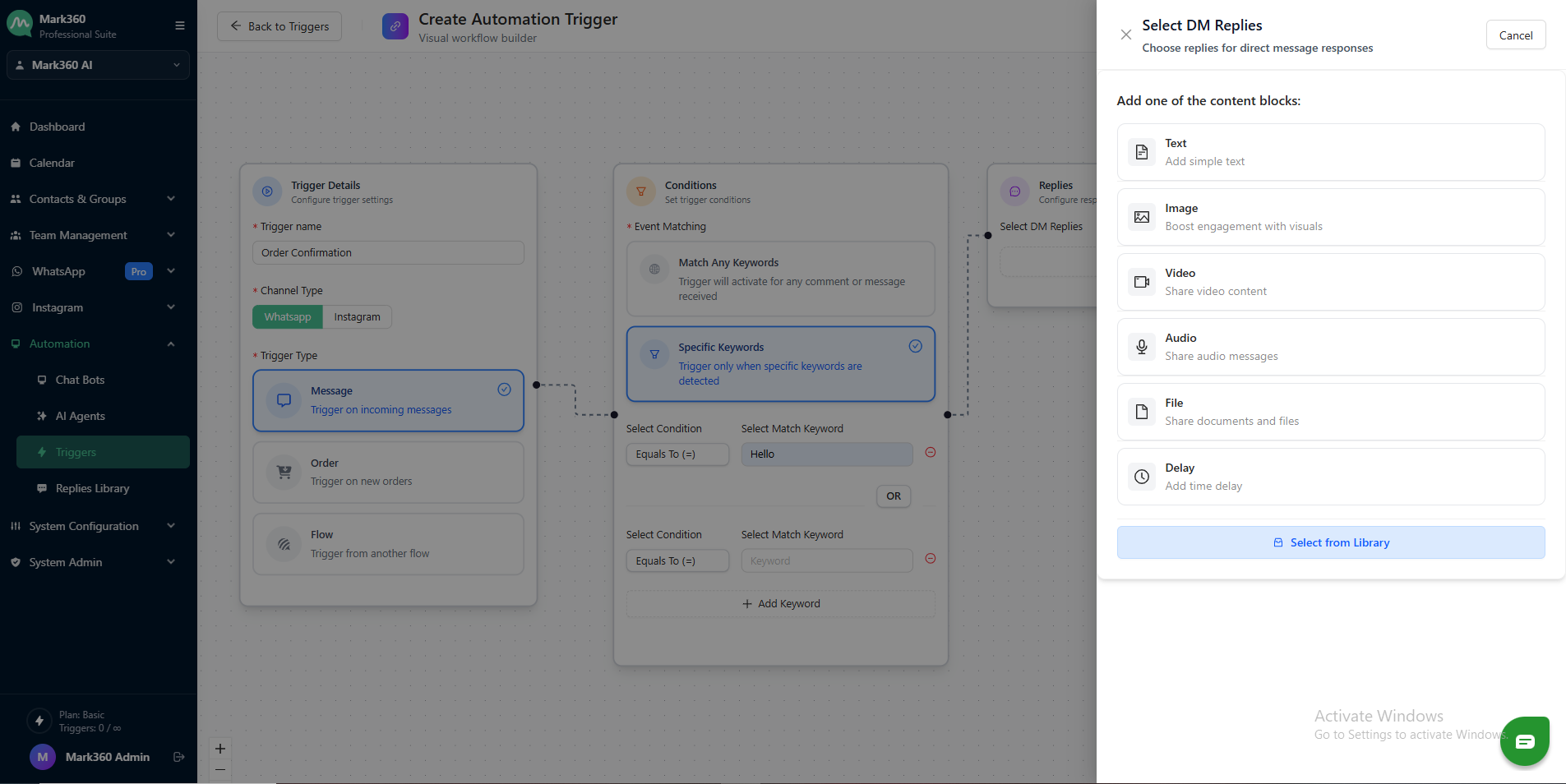
You can select multiple actions to occur in sequence.
Step 5: Finalize
- Click "Done"
- Your trigger is now active and running based on your defined rules.
Examples:
- When a user types "Menu", reply with a Bot + Product Catalog image.
- If a customer orders something, trigger a WhatsApp flow that collects delivery preferences.
- For any message starting with "Help", send a human support text + assign to team.
Pro Tips
- Use Regex matching for advanced keyword patterns.
- Combine with Tags or User Conditions for more granular targeting.
- Test your trigger using a test message before going live.
Need help setting up advanced automation or flows for your Triggers? Reach out to Mark360.ai Support, and we’ll help you build smart automations in no time.